How to play
A quick guide to GuessMate




GuessMate is a free Guess Who-style game. Ask yes or no questions to work out which character the other player picked. Play the bot, take turns on one phone, play someone online, or make a board from photos of people you know.
New to it? The first time you open GuessMate it offers a practice game against the bot, with tips that show you what to tap. You can play it again any time from Settings → How to play.
How a game works
- Pick your secret character. The other player (or the bot) picks one too.
- Take turns asking yes or no questions about the other player's character.
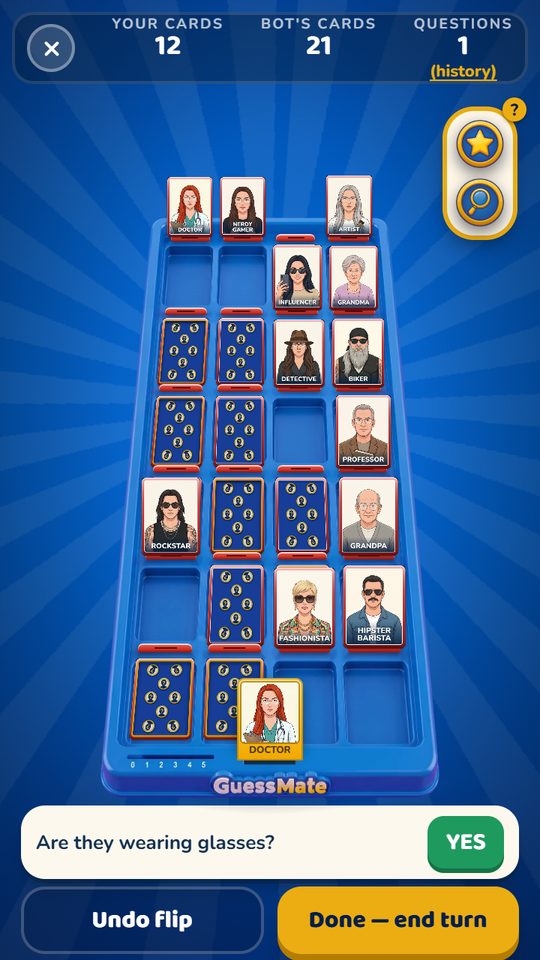
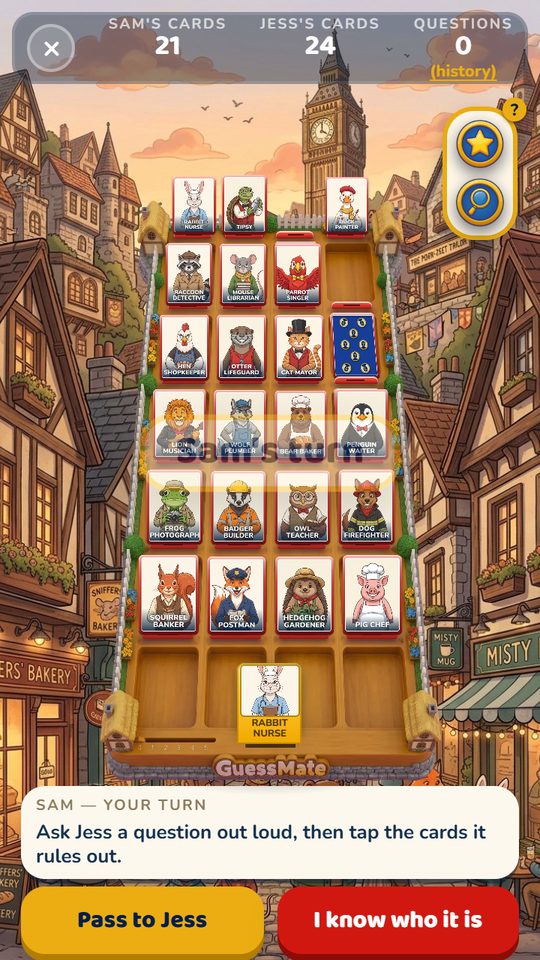
- Knock down every card the answer rules out. They fall flat in the tray.
- On your turn, ask a question or guess, not both. When you think you know, tap I know who it is, then tap the card. Get it right and you win. Get it wrong and you lose, so be sure.
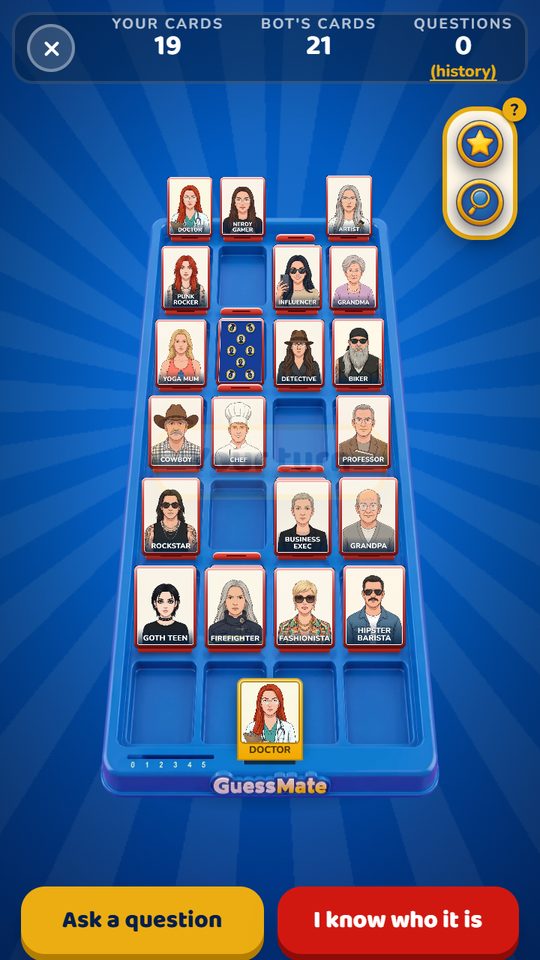
The numbers at the top show how many cards each of you has left standing. Your own secret character is the yellow card at the bottom of the board.
Asking a question
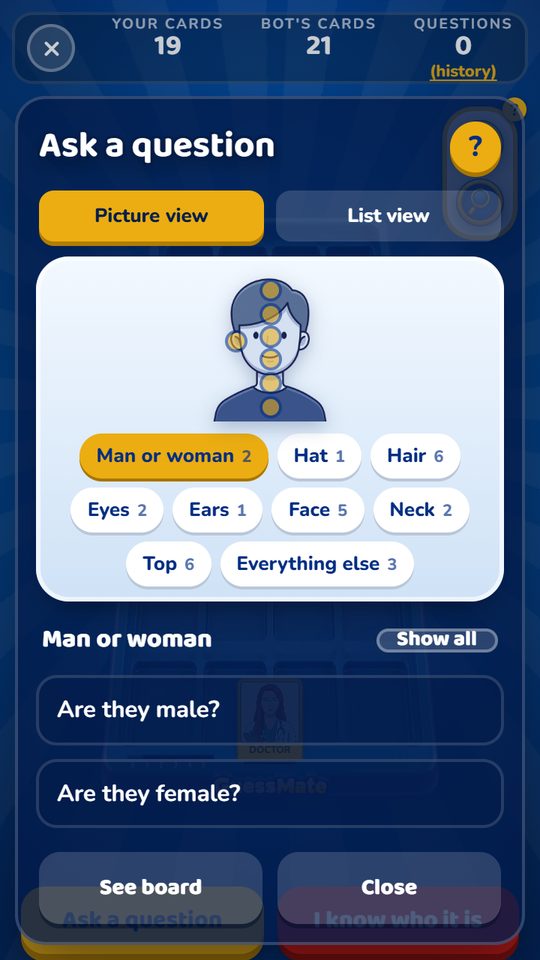
Tap Ask a question. There are two ways to find one:
- Picture view. Tap a part of the figure (hair, hat, eyes, ears, face, neck or top) or a button underneath, and the questions about it show in the list. Everything else has colours, age and things they're holding.
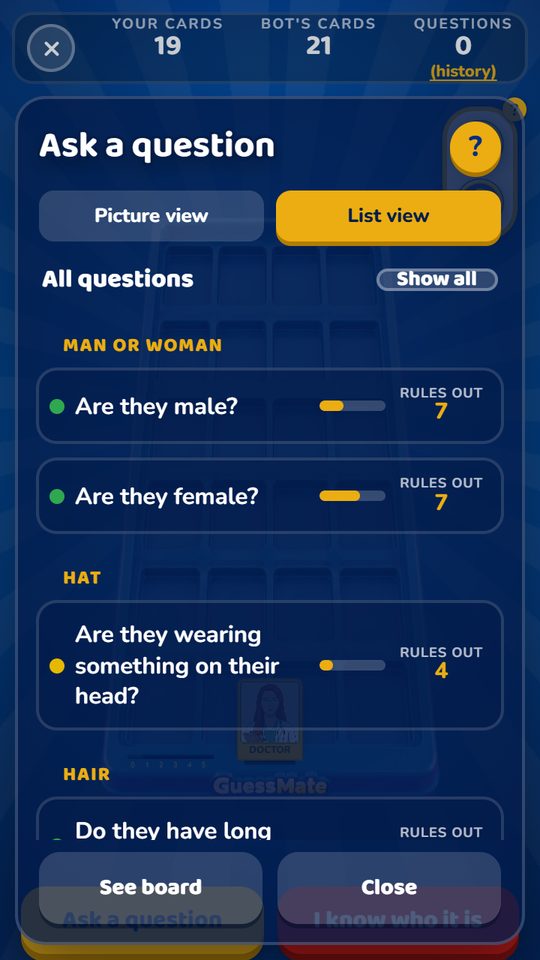
- List view. Every question at once, grouped by part.
Tap a question to ask it. Questions that can't help any more are hidden; tap Show all to see them. Stuck? Tap the yellow ? at the top.
Hints and Best questions
Hints are off to start with. Turn them on with the Hints switch on the game's setup screen. With hints on, every question shows how many cards it would rule out, the most useful questions go to the top, and a Best questions button appears. Against the bot, hints are for Easy games only. Online, the host's choice counts for both players. The Daily never has hints.
Knocking cards down
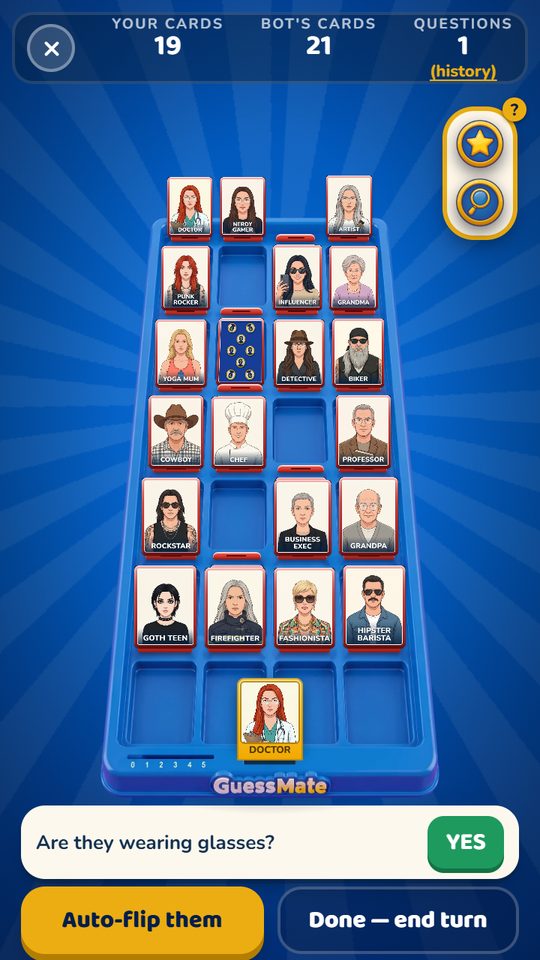
After every answer, the cards it rules out need knocking down. Choose how on the setup screen, under Knocking cards down:
- I'll flip them. Tap each card yourself, like the real board.
- Flip them for me. Tap Auto-flip them and they all go down at once.
Either way, Undo flip puts them back up, and your turn only ends when you tap Done. On a board of your own photos you always flip them yourself.
Getting a closer look
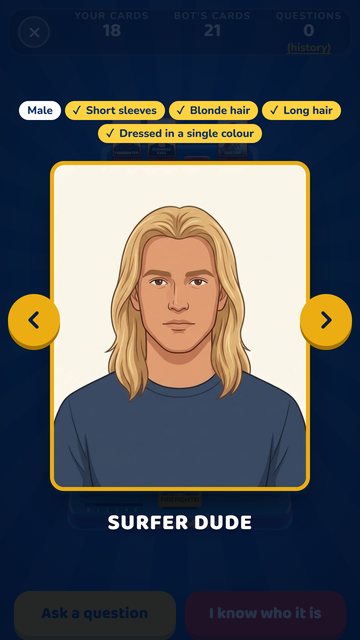
Turn your phone sideways to see the whole board spread out wide. Tap the magnifying glass in the box at the top right of the board, then tap any card to see it big with all its traits. Use the arrows (or swipe) to go through the board, and tap the big card to close it. Tap your own card at the bottom to see it big too.
The star in the same box marks cards: tap it, then tap the cards you think it might be. Stars are just notes for you.
Ways to play
Play the bot
- Tap Play, then Play the bot.
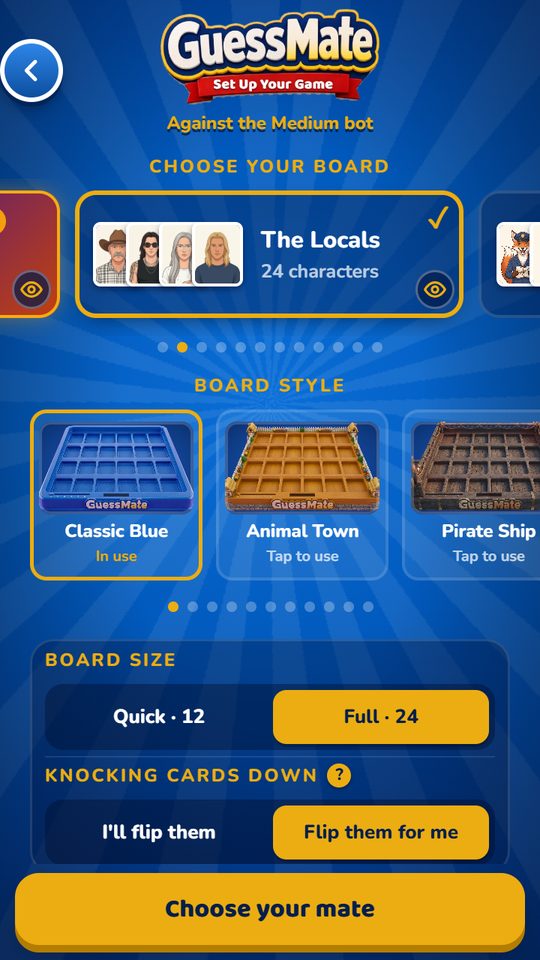
- Choose a card set, a board style, a board size (12 or 24 cards), and Easy, Medium or Hard. Set how cards get knocked down, and Hints.
- Tap Choose your mate, pick a character (or Random pick) and play. The game picks at random who asks first.
Pass & Play
- Tap Play, then Pass & Play. Type both names and pick a card set or one of your own photo boards.
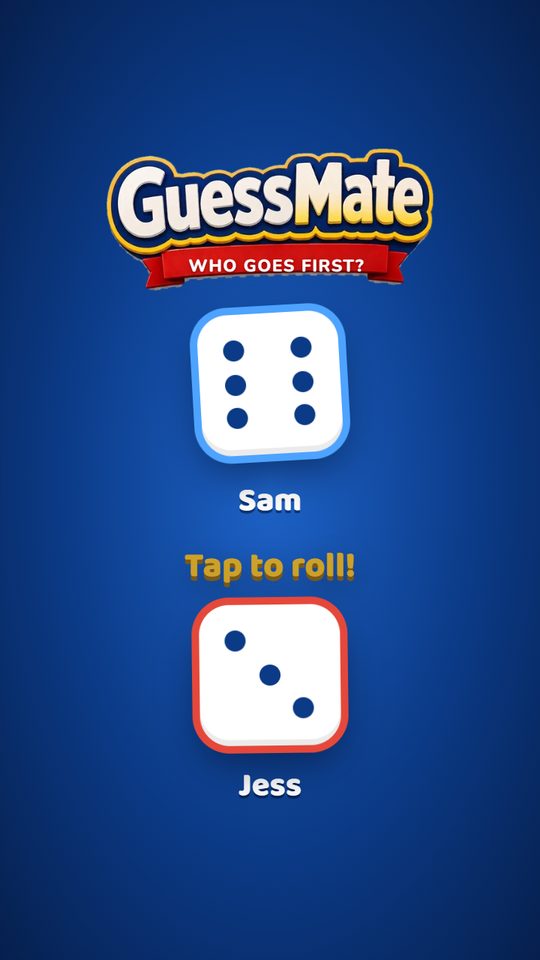
- Each player picks a secret character in private. The game tells you when to pass the phone. Roll the dice to see who goes first.
- On your turn, tap Ask a question and pick one. The game answers from the other player's card. On one of your own photo boards there's no list, so ask out loud: "Would they lend you a fiver?"
- Knock down the cards the answer rules out, then hand the phone to the other player.
Play online
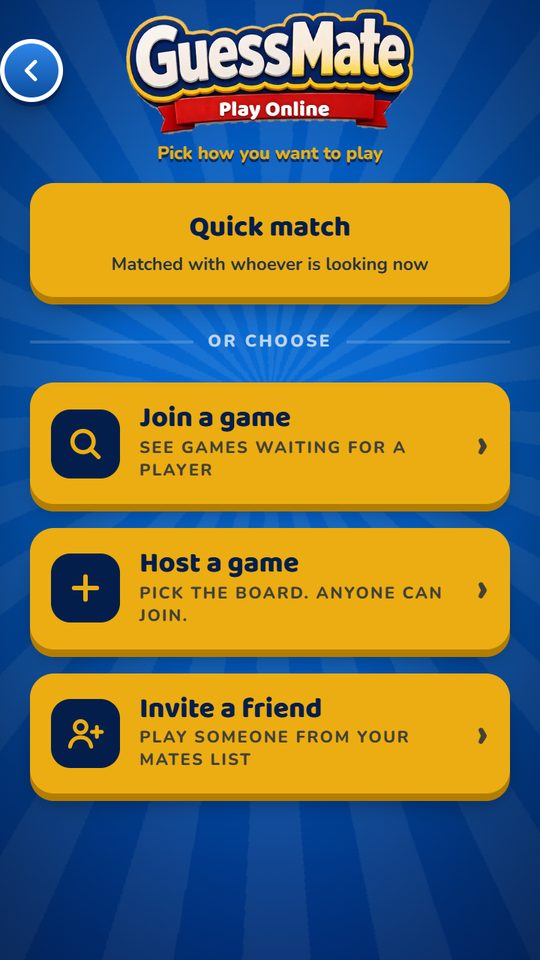
- Tap Play, then Play online.
- Quick match pairs you with whoever else is looking. Whoever started searching first hosts. Nobody about? Play the bot while you wait.
- Join a game lists public games waiting for a player. Host a game puts yours on that list, and you pick the board and the rules.
- Invite a friend shows your mates, with whoever's online at the top. They get a pop-up.
- The host sets the card set, board style, board size, flipping and hints for both players. If the host picks a set or board style you haven't unlocked, you can still play it. Keep GuessMate open until the game ends.
- You both pick your character, then roll the dice to see who goes first.
- Tap React in the box at the top right of the board to send your opponent an emoji or a quick message. More reactions unlock as you level up.
Boards made from your own photos only go to mates, never to strangers. Public games and Quick match use the built-in card sets.
Double Trouble
- Tap Play, pick Play the bot, Play online or Pass & Play, then Double Trouble. It opens at level 10, or straight away with GuessMate Pro.
- You each hide two cards. To win, you have to find both of theirs. There are 24 cards on the board.
- Ask a question as normal. The answer tells you how many of their two have it.
- Neither: knock down everyone who has it. Both: knock down everyone who doesn't. One of them: nobody goes down yet, as any card could be the one. Remember it for later.
- Putting answers together: say a hat is One of them, and short sleeves is One of them. If nobody on the board has both, one wears the hat and the other has the short sleeves. So anyone with neither is out.
- Auto-flip works all this out for you and says why.
- When you know, tap I know who it is and tap both cards. Get either one wrong and you lose.
Online, the host picks Classic or Double Trouble in the room, and Join a game shows which one each game is. Online Double Trouble uses the card sets.
Pass & Play: pick a question and the game answers Neither, One of them or Both from the other player's two cards. Knock the cards down, or tap Auto-flip if it's on. When two are left standing, tap the button to name them both.
Hints are off in Double Trouble: they count single cards, so they'd lead you wrong with two hidden.
Make a board of your mates
You need an account for this. From the menu, tap Create your custom board.
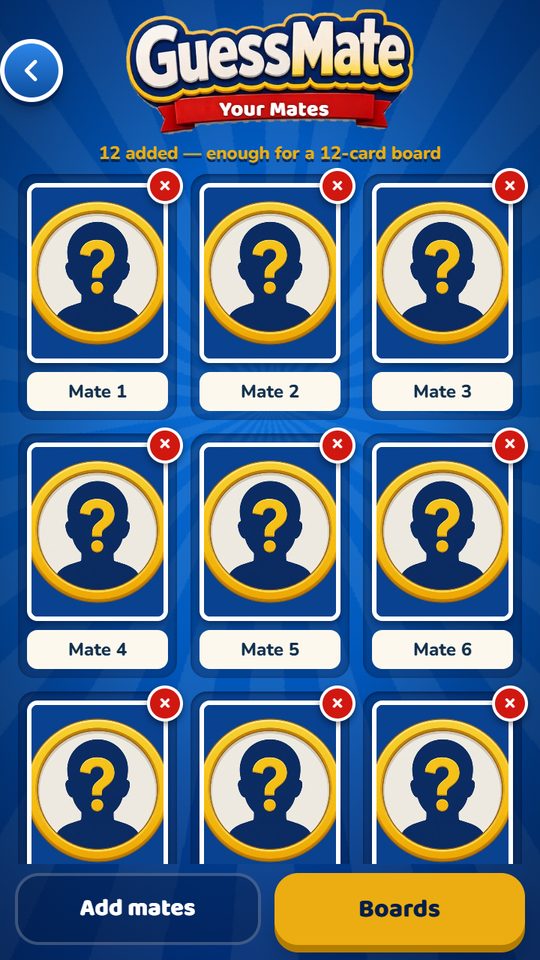
- Tap Add mates and choose some photos. Group photos are best: one picture can make several cards.
- Tap a face. A gold box appears. Use − and + to frame the head, then tap Add this one. Do the same for everyone in the photo, then tap Done.
- Give each mate a name.
- Tap Boards, then New board. Name it, tap the mates to put on it (12 for Quick, 24 for Full) and tap Save board.
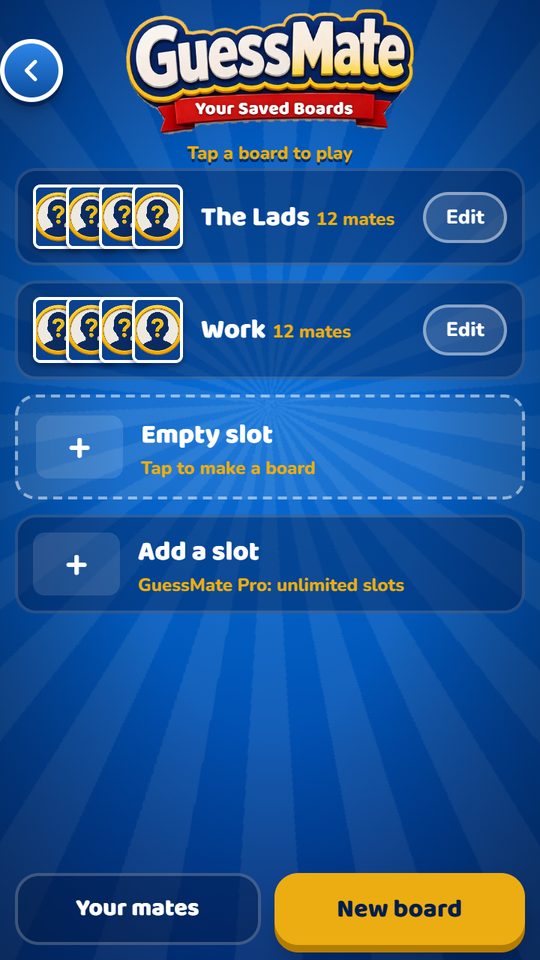
Two board slots are free. GuessMate Pro gives you as many as you like. On a photo board there's no question list: ask anything you like and the other player answers. Play it in Pass & Play, or online with a mate.
Your photos stay on your phone. In an online game the board is sent to your mate for that game only and isn't kept on any server. See the Privacy Policy.
The Daily Challenge
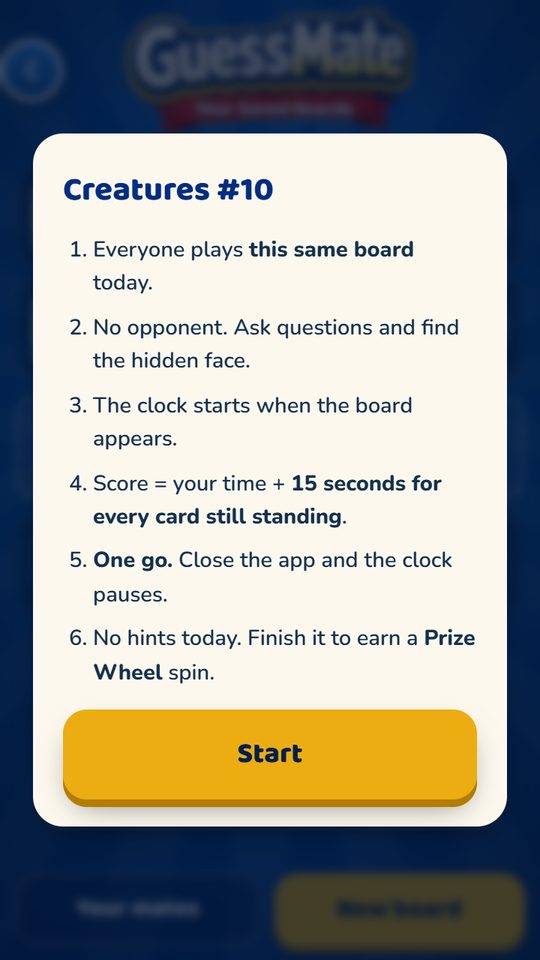
- One board, the same for everyone, every day. It alternates between people and creatures.
- There's no opponent. Ask questions and find the hidden face.
- The clock starts when the board appears. Your score is your time plus 15 seconds for every card still standing, so working it out beats a lucky guess.
- When one card is left, tap It's…! to finish.
- One go a day. Close the app and the clock pauses until you come back. No hints in the Daily.
Prize Wheel and Daily Bonus
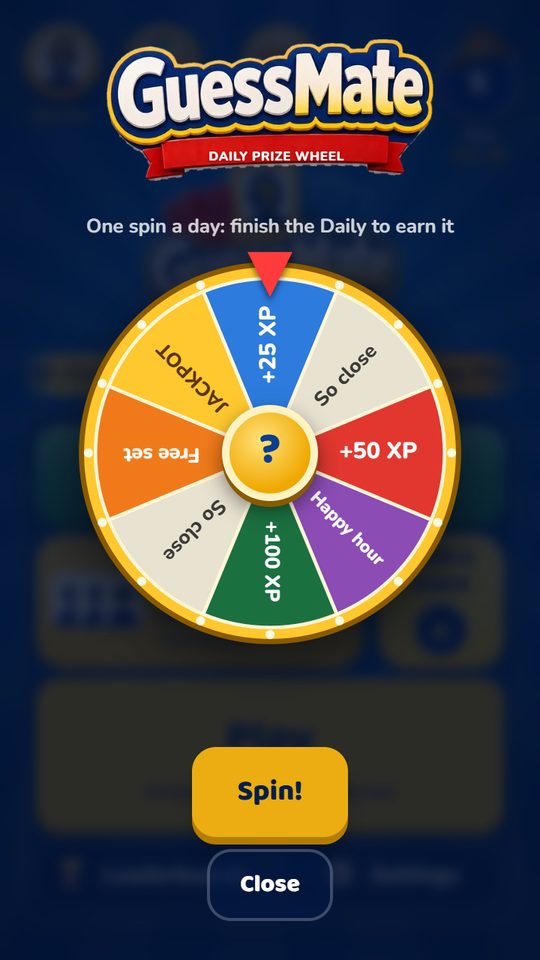
Prize Wheel. One spin for every Daily you finish. Guests can spin too. Prizes: 25, 50 or 100 XP, a happy hour of double XP, a card set free for 24 hours, or the 250 XP jackpot.
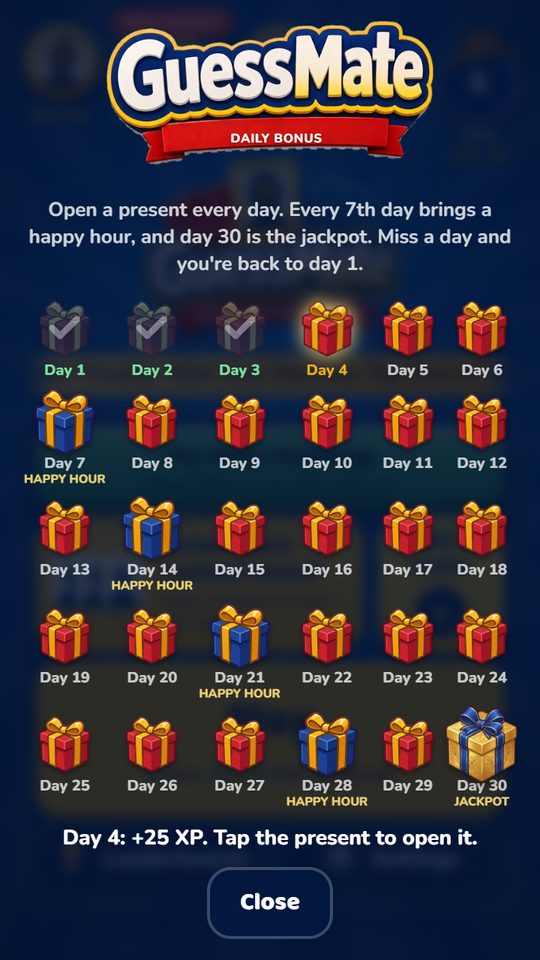
Daily Bonus. Open a present every day. Each day of the week pays a little more XP, every 7th day adds a happy hour, and day 30 is the jackpot. Miss a day and you're back to day 1.
Levels and unlocks
Every game earns XP (apart from Pass & Play), and XP levels you up. Every 5 levels something new opens: a card set, then a board style to go with it. The Play button shows what's next.
| Card set | Board style | |
| From the start | The Locals, Animal Town, Pirates, Farm Life | Classic, Animal Town, Pirate Ship, Farm |
| Level 5 / 10 | Sports Stars | Stadium |
| Level 15 / 20 | Jungle | Jungle |
| Level 25 / 30 | History Makers | Castle |
| Level 35 / 40 | Cryptids | Space |
| Level 45 / 50 | Wild West | Wild West |
| Level 55 / 60 | Under the Sea | Underwater |
| Level 65 / 70 | Toy Town | Toy Town |
Double Trouble opens at level 10.
Seasonal specials (Halloween, Christmas) are open to everyone while they're on, with Double XP. GuessMate Pro (£3.99, once) opens every set and board straight away.
The Level board
The Level board (Leaderboards) ranks everyone by XP. Reach the top three for a badge, and No. 1 for another. If someone takes your top-three place, we'll let you know.
Your profile and notifications
Tap the circle at the top right of the menu for your Profile: your level, your record and your badges, in groups. Tap your name to change it.
In Settings → Notifications there are two switches. Mate notifications: mate requests and replies, and if someone takes your place on the Level board. News & reminders: a 6pm Daily reminder while you're playing them, and news of new card sets and big updates.
Help in the game
Open Settings → How to play for the short version, or play a practice game against the bot. The yellow ? buttons explain each setting. Tips that show the first time can be hidden with Don't show this again; bring them all back with Reset instructional popups in Settings. The Daily's rules show every day.